
Settings
Two groups: Basic (General, Appearance, Activity) and Advanced (Cleanup, Protected paths, GitHub, Locks, Diagnostics, About).
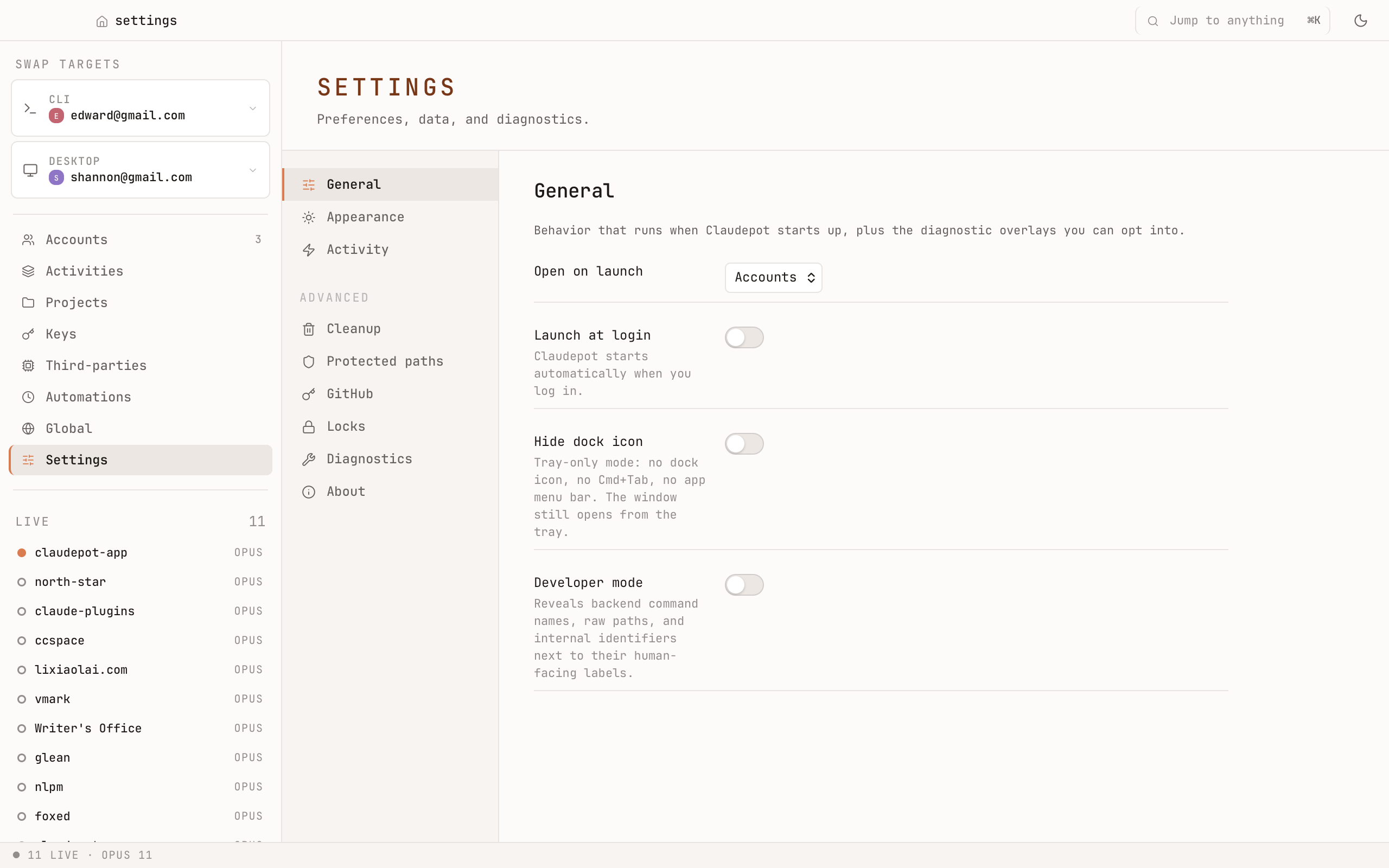
General
Behavior that runs when Claudepot starts up, plus diagnostic overlays you can opt into.
- Open on launch — which tab Claudepot opens to.
- Launch at login — start Claudepot automatically when you log in.
- Hide dock icon — tray-only mode (no dock icon, no
⌘+Tab, no app menu bar). The window still opens from the tray. - Developer mode — surfaces backend command names, raw paths, and internal identifiers next to their human labels. Off by default.
Appearance
Paper-mono light or dark. Follows your system by default; flip it manually any time. The whole UI is one typeface, hairline borders, small radii — easy on the eyes for long sessions.
Activity
Tune the Activities behavior — when to fire a macOS notification, how long to keep recent events, whether the live strip auto-scrolls.
Cleanup
The big one. ~/.claude/ quietly grows; this is where you reclaim it.
Prune
Delete sessions matching rules you set — older than X days, smaller/larger than Y MB, errored, or any combination. Preview the list before anything is touched. Anything you prune goes to Trash first.
Slim
Drop bulky tool-output payloads from a session while keeping the prompts and replies. Useful for long sessions where Claude piped binary data, large diffs, or images through tool results — they balloon the file, and you almost never need to re-read them. Slim trims the file dramatically without losing the conversation.
Trash
Anything Claudepot deletes — sessions pruned, projects cleaned, slimmed payloads — sits in Trash for 7 days. You can restore individually, or empty Trash to reclaim disk for real.
Protected paths
Mark certain projects or sessions as protected — they're skipped by Prune and Slim, even if they match the rules. Use it for irreplaceable conversations you never want to lose.
GitHub PAT
If you use the Claudepot features that talk to GitHub (project link-up, issue references, etc.), paste a personal access token here. Stored in the keychain; never logged.
Locks
Optional safety locks for destructive operations. Require an extra confirmation for Prune, Slim, project rename, or account remove — pick the ones you want gated.
Diagnostics
The Doctor runs a battery of checks: Is Claude Code installed? Is your keychain reachable? Does the credentials slot look healthy? Are paths writable? Are session files parseable?
You get a per-check pass/fail list with a one-line explanation. If something's broken, this is the first place to look.
About
Version, license, source links. Includes the GitHub mark next to the source URL.