
Activities
Three time-scales of "what's happening with Claude right now."
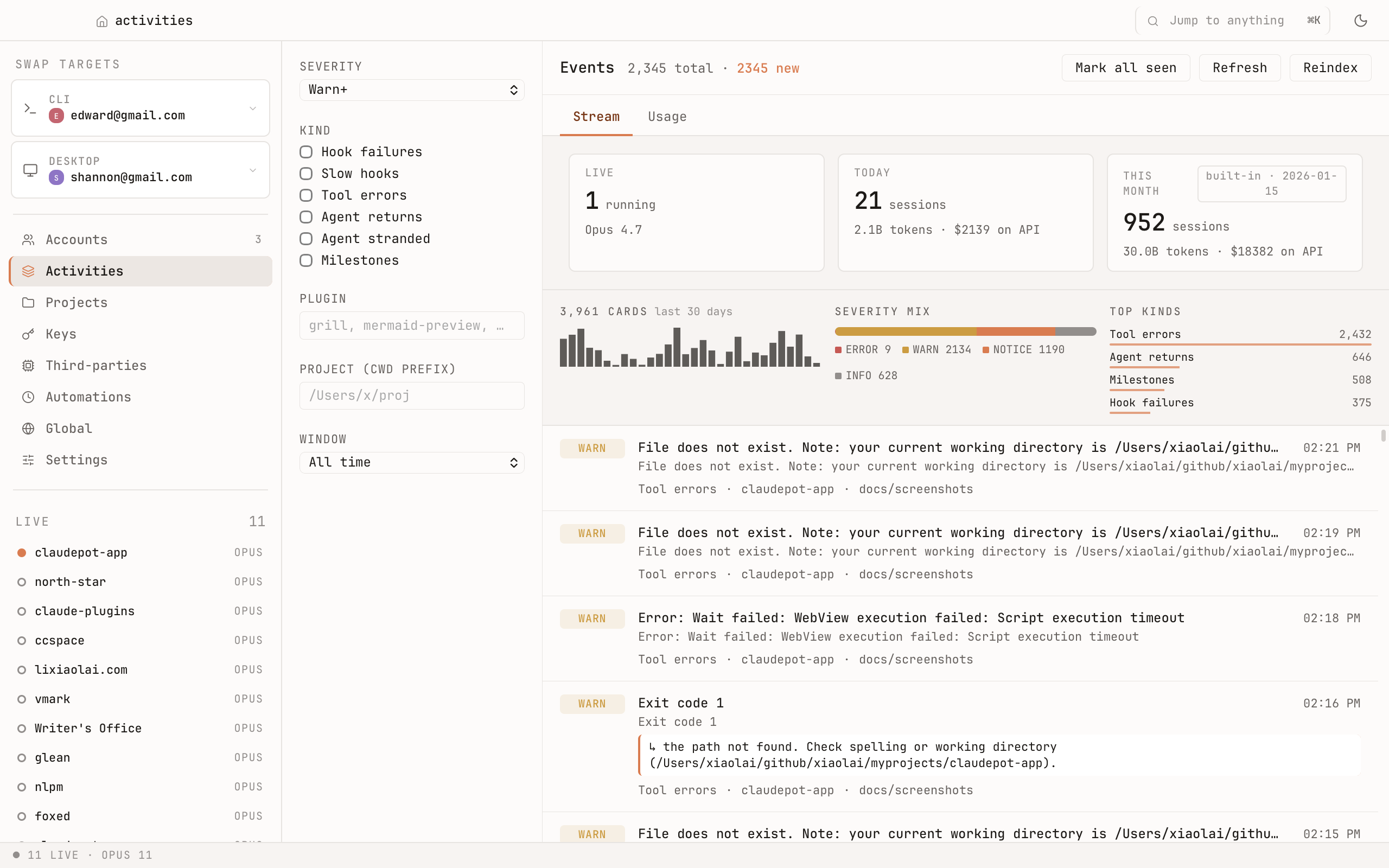
At a glance
Three counters along the top:
- Live — how many sessions are running this second.
- Today — sessions started so far today, plus the token spend behind them.
- Total — your all-time count and spend.
Below that, a severity mix bar (errors / warnings / notices / info) and a top kinds list — a fast read on what kind of activity is dominating right now (tool errors, hook failures, agent returns…).
Live strip in the sidebar
The left sidebar's LIVE list is always visible — every running session, sorted with the ones waiting on you at the top. At a glance you know:
- Is anything stuck?
- Which terminal needs my attention?
- Which sessions are still on Opus vs. Sonnet?
Filters
Narrow the event stream by severity, kind (hook failures, slow hooks, tool errors, agent returns, agent stranded, milestones…), plugin, project, and time window. Useful when you want to answer "what went wrong with this project today" without scrolling.
Event stream
A scrolling feed of every session lifecycle event — started, finished, errored, hit a rate limit. The newest is at the top. Each event shows the project, severity, and a one-line summary; click to drill in.
Notifications
When a session goes from busy to waiting, Claudepot fires a macOS notification — so you don't have to keep tabbing back to check. Tune it in Settings → Activity.
Why it matters
Claude has no native notion of "I'm waiting on you." Without a tool like Claudepot, you'd have to switch terminals one by one. With Activities, the answer is always one glance away.