
Accounts
Manage every Claude account you have. Add, remove, verify, and switch between them.
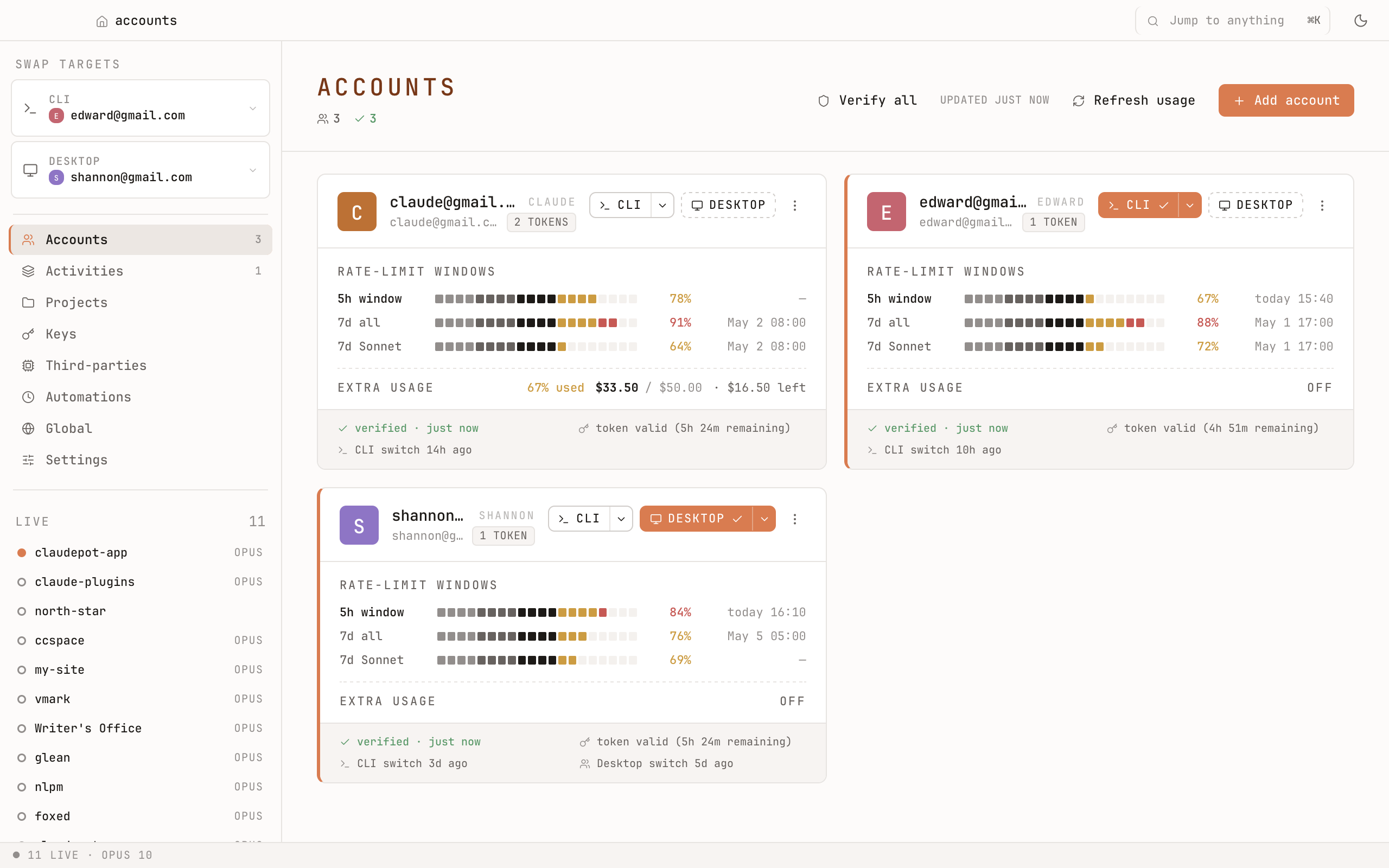
Two slots, switched independently
Claudepot keeps two "live" slots:
- CLI — the account Claude Code uses in your terminal.
- Desktop — the account Claude Desktop uses.
Work in CLI and personal in Desktop, at the same time. Each slot is one click to swap.
Adding an account
Three flows, pick whichever fits:
- Browser OAuth — a one-time browser sign-in. The most common path. No token handling on your part.
- Import — pull in the account Claude Code is already signed into. Useful right after install if you've been using Claude already.
- Paste a refresh token — if you already have one (issued by Anthropic). Useful for headless setups.
Switching
From any of three places:
- The sidebar (each account is a row, click to switch the active slot).
- The ⌘K command palette — type a few letters of an email and hit Enter.
- The menu-bar tray icon (macOS) — quickly switch without leaving your current app.
Verifying
The Verify action makes a live API call to confirm the stored credentials still work. Claudepot tracks the last-verified time per account; expired or revoked tokens surface clearly so you don't find out the hard way.
Where the secrets live
Per-account secrets live in your OS keychain — macOS Keychain, Windows Credential Manager, Linux Secret Service. Claudepot never writes them to plain files and never sends them to the UI layer.